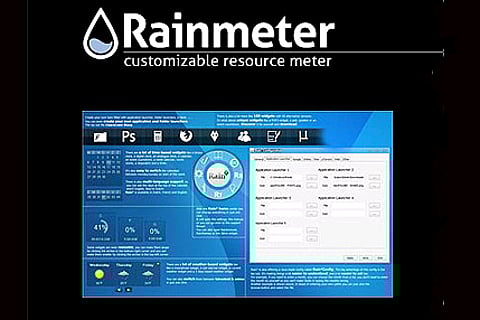

Rainmeter
Be it is XP, Windows 7 or 8, Rainmeter is the best system monitor for Windows. This deceptively light weight tool monitors and displays different statistics for the CPU, network, system temperature, memory, disk space and loads of others. Rainmeter can also display weather, e-mail notifications, RSS feeds, etc. Sith its innumerable themes, widgets and plug-ins, Rainmeter is probably the most customisable app.
Launchy
Application launchers make our lives easy. Launchy is the best available. When you hit Alt+Space on your Windows PC, Launchy brings up a quick bar in which you can type in the application you want to launch. Launchy first finds the closest match to the letters you typed, and if you use certain applications a lot, it will remember them. Launchy lets you open files, folders and documents, navigate websites, and can be customised to make it do what you want, real fast. You can make it also do web searches and calculations.
DriveImage XML
One aspect where Mac beats Windows hand-down is the ‘time machine’ feature. But to rectify that shortcoming there are many third party disc backup programs available, and DriveImage XML is the best. You can back up drives and partitions to image files. Unlike many back up programs, with DriveImage you need not reboot your system but rather can back up while doing your work. Since it backs up as image files, you can browse the images and extract and restore the files to the same drive or another drive. Further you can use Windows Task Scheduler you can schedule regular backups of your disc so you never lose a file again.
Ultimate Windows Tweaker
One of the main reasons why geeks prefer Windows over a Mac is that it is endlessly tweakable. With ‘Ultimate Windows Tweaker’, you need not be a geek to tweak every aspect of your PC. Do you want to change the Windows startup sound and Welcome screen background, beautify Internet Explorer? No problem. Be it is network settings, personalising taskbars, or disabling system registry, any of the 150 tweaks are easy to accomplish with this app. The best part is that it is easily downloadable as a zip file.